

Download Sandvox – Easy Drag‑Drop Website Builder for Mac
Overview
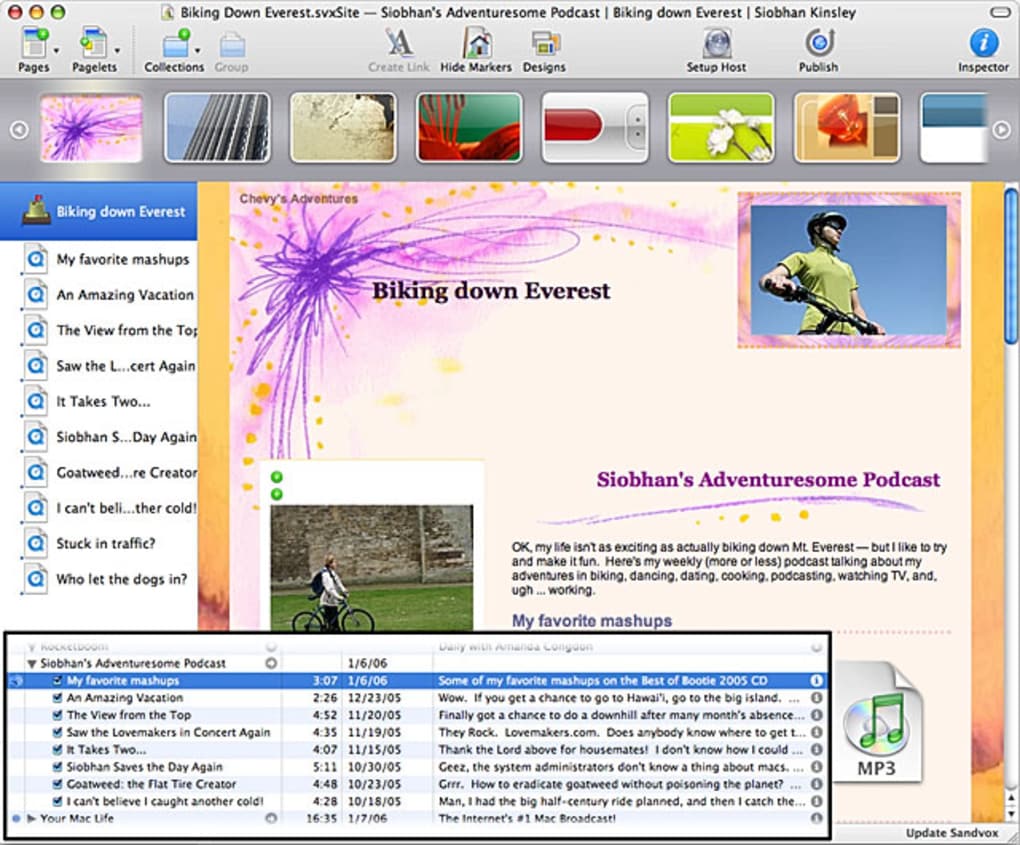
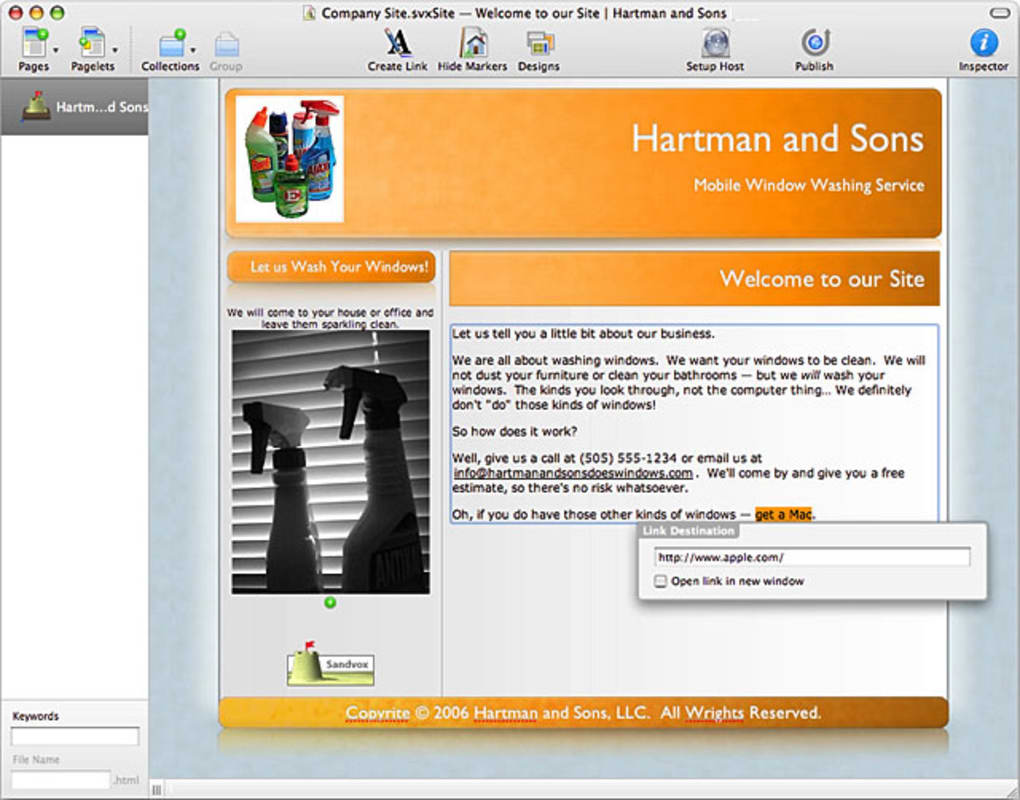
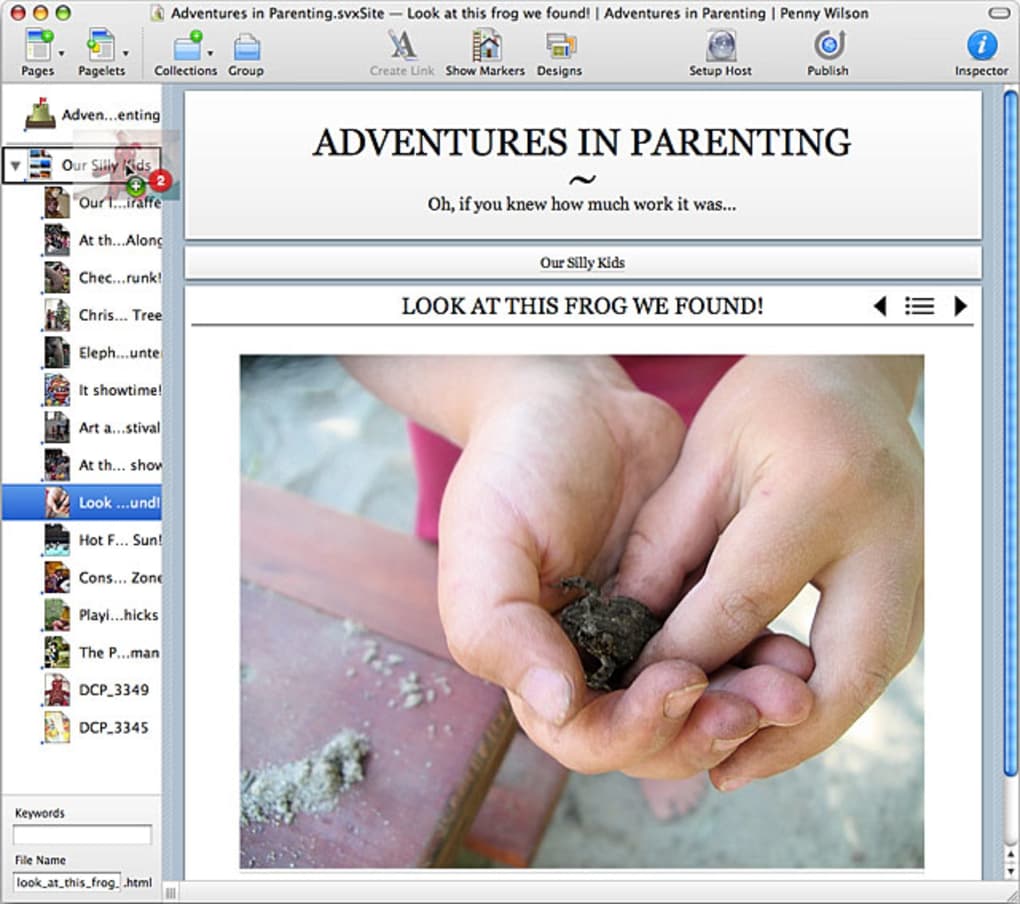
Sandvox is a Mac‑only website designer that targets users who have little to no coding background but still want a polished, professional‑looking site. Its hallmark is a WYSIWYG (what‑you‑see‑is‑what‑you‑get) interface that lets you drag and drop elements onto a canvas, pick from more than 40 built‑in templates, and publish the result with a single click. While the visual editor feels almost child‑like in its simplicity, the application hides a surprisingly robust set of advanced tools.
Power users can switch to raw HTML mode, inject custom CSS, and even add e‑commerce widgets, Flash objects, or Google Webmaster tags via the Professional edition. The trade‑off for this ease of use is a certain rigidity: the layout engine can push elements around in ways that feel inflexible, and the built‑in FTP publishing workflow is notoriously finicky despite the thorough documentation. Nevertheless, for hobbyists, small business owners, and educators looking for a quick way to launch a site on macOS, Sandvox remains an attractive option that balances simplicity with depth.
Key Features and Advanced Tools
- Drag‑and‑Drop Builder: Place text blocks, images, videos, and widgets on a visual canvas without touching a line of code.
- 40+ Pre‑Designed Templates: Choose from a diverse library ranging from portfolio layouts to blog‑style designs, each fully responsive.
- Raw HTML & CSS Editing: Switch to code view at any time to fine‑tune markup, add custom styles, or embed third‑party scripts.
- Professional Edition Add‑Ons: Enable e‑commerce components, Flash integration, and Google Webmaster tools for SEO tracking.
- Third‑Party Template Support: Import designs from external designers to overcome the native template limitations.
- Built‑In Image Optimizer: Automatically compress and resize images for faster page loads.
- SEO‑Friendly Output: Clean HTML5 markup, customizable meta tags, and sitemap generation help search engines index your site.
- One‑Click Publishing (FTP): Directly upload your site to an FTP server, albeit with a learning curve.
- Automatic Updates: The app checks for updates and installs them securely, keeping the software current.
- Mac‑Optimized Performance: Leverages native macOS technologies for smooth rendering and low memory usage.
These features make Sandvox more than a “toy” website builder. The ability to edit raw HTML ensures that designers who outgrow the preset layouts can still customize every element. Meanwhile, the inclusion of e‑commerce widgets means small shops can launch a storefront without needing a separate platform like Shopify.
The built‑in image optimizer and SEO tools further reduce the need for external plugins, keeping the workflow streamlined. However, the drag‑and‑drop engine can sometimes be overly prescriptive, forcing objects into a grid that may not align with a designer’s vision. Users who require pixel‑perfect control may find themselves toggling between the visual editor and code view more often than they’d like.
Installation, Setup, and Compatibility
Getting Sandvox up and running on a Mac is straightforward. Follow these steps for a smooth installation:
- Visit the official Sandvox download page and click the “Download Free Trial” button.
- The DMG file will mount automatically. Drag the Sandvox icon into your
/Applicationsfolder. - Launch Sandvox from the Applications folder. macOS may ask you to confirm that the app is from an identified developer; click “Open”.
- Enter your license key if you have purchased the Professional edition; otherwise, you can explore the free version for 30 days.
- When you’re ready to publish, open the “Publish” tab, choose “FTP”, and fill in your server address, username, and password. Press “Connect” and follow the on‑screen prompts to upload your site.
While the installer is a typical macOS DMG package, the real challenge lies in the publishing step. Users often report that the FTP dialog is less intuitive than competing tools, and error messages can be cryptic. It is advisable to test the connection with a small dummy folder first, verify that passive mode is enabled, and ensure your firewall allows outbound FTP traffic.
Compatibility: Sandvox is built exclusively for macOS. Officially it supports macOS 10.12 Sierra and later, including the latest Ventura and Sonoma releases. The software takes advantage of Apple’s Metal graphics API, so it runs best on Intel‑based Macs as well as Apple Silicon (M1/M2) devices. Because it is a native Mac app, Windows, Linux, Android, and iOS users cannot run Sandvox directly; however, the generated HTML files can be hosted on any web server and accessed from any device.
System requirements are modest: 2 GB RAM (4 GB recommended), 200 MB of free disk space for the app itself, and an active internet connection for activation and updates. The lightweight footprint ensures that even older MacBook models can handle the editor without lag.
Pros and Cons
Pros
- Intuitive drag‑and‑drop interface ideal for beginners.
- Extensive template library with responsive designs.
- Raw HTML/CSS editing for advanced customization.
- Professional edition adds e‑commerce and SEO tools.
- Native macOS performance and low system resource usage.
- One‑click image optimization improves site speed.
- Secure automatic updates keep the software current.
Cons
- FTP publishing workflow can be confusing and prone to errors.
- Layout engine is somewhat inflexible; elements may shift unexpectedly.
- Template customization is limited without diving into code.
- Only available for macOS; Windows and Linux users are excluded.
- Advanced features require the paid Professional edition.
Frequently Asked Questions
Can I use Sandvox on a Windows PC?
No. Sandvox is a macOS‑only application. However, you can design your site on a Mac, export the HTML files, and host them on any web server, making the site accessible from Windows, Linux, Android, and iOS browsers.
Do I need any coding knowledge to get started?
No. The drag‑and‑drop editor is designed for users with zero coding experience. If you later decide to tweak the design, you can switch to the HTML view, but that step is optional.
Is there a free version of Sandvox?
Yes. Sandvox offers a 30‑day free trial that includes all core features. To access e‑commerce and advanced SEO tools, you’ll need to upgrade to the Professional edition.
How does Sandvox handle SEO?
Sandvox automatically generates clean HTML5 markup, allows you to edit meta titles and descriptions, and can create an XML sitemap. The Professional edition also lets you insert Google Webmaster verification tags and custom meta robots directives.
What are the system requirements?
A Mac running macOS 10.12 Sierra or later, at least 2 GB of RAM (4 GB recommended), and 200 MB of free disk space. Both Intel and Apple Silicon processors are supported.
Conclusion & Call to Action
Sandvox occupies a niche that many website builders overlook: a pure‑Mac experience that blends beginner‑friendly drag‑and‑drop design with the option to dive into raw code when needed. If you are a small‑business owner, freelancer, or educator who wants to create a polished site without learning a full‑blown CMS, Sandvox offers a compelling balance of ease and power. The main pain points—FTP publishing quirks and a somewhat rigid layout engine—are manageable with a bit of patience and a willingness to test the publishing workflow before a major launch. For those who need e‑commerce or deeper SEO integration, the Professional edition unlocks those capabilities at a reasonable price.
Ready to give Sandvox a try? Download the free trial now, explore the templates, and see how quickly you can bring your ideas to life on macOS. With regular updates and a supportive community, Sandvox remains a solid choice for anyone who wants a secure, fast, and visually appealing website without the overhead of complex server‑side software.







